Guide
Build a deck
A deck is the set of questions you run in a session. Build it once, present it as many times as you like.
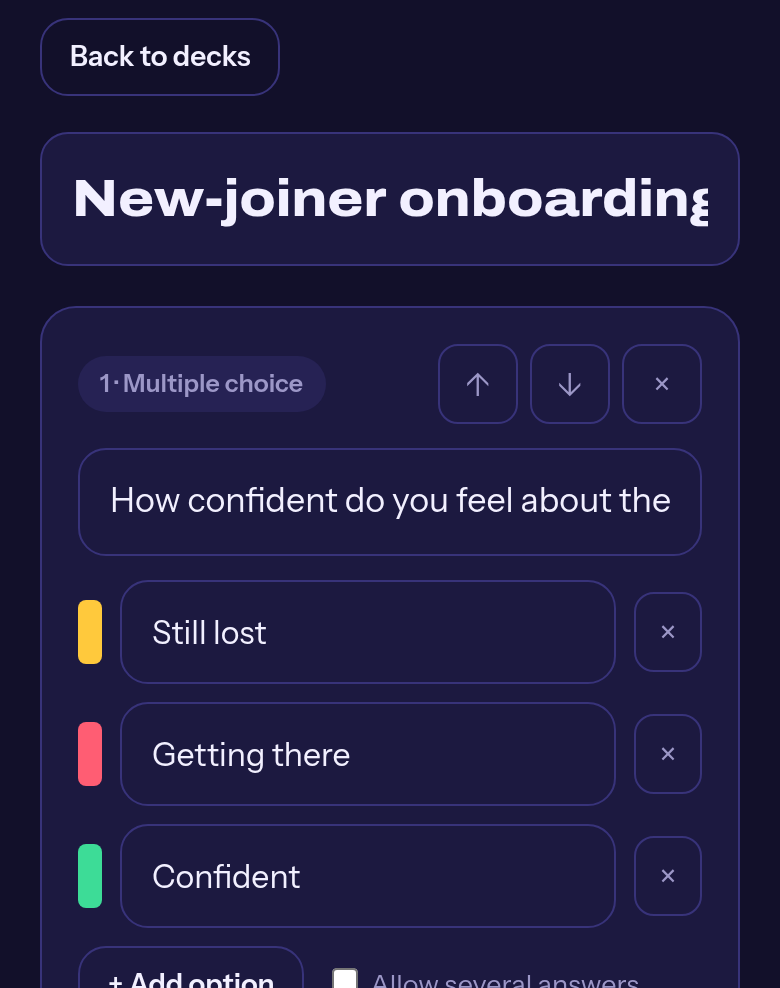
New deck
Console → Decks → New deck. Give it a title your future self will recognise.
Or import a spreadsheet
Console → Decks → Import from spreadsheet. Pick a CSV or an Excel file, check the preview, confirm. Handy when your question bank already exists in Excel or Google Sheets.
Add questions
Pick a type along the bottom: multiple choice, word cloud, scale, free text or ranking. Write the prompt the way you would say it out loud.
Set a timer if you want one
Each question can have its own countdown. Leave it at zero and you advance by hand instead.
Tag a topic
The optional topic field groups questions in the report, so you can see how the room did per subject, not just per question.
Make it a quiz (optional)
On a multiple choice question, turn on scoring and mark the correct option. The session gets a leaderboard.
Save
Save deck, or Save and present to go straight to a live session.
Editing a deck later does not change sessions you already ran. Their results stay as they were.