Guide
Audience Q&A
The room asks questions anonymously and upvotes the ones they share. You always know what to answer next.
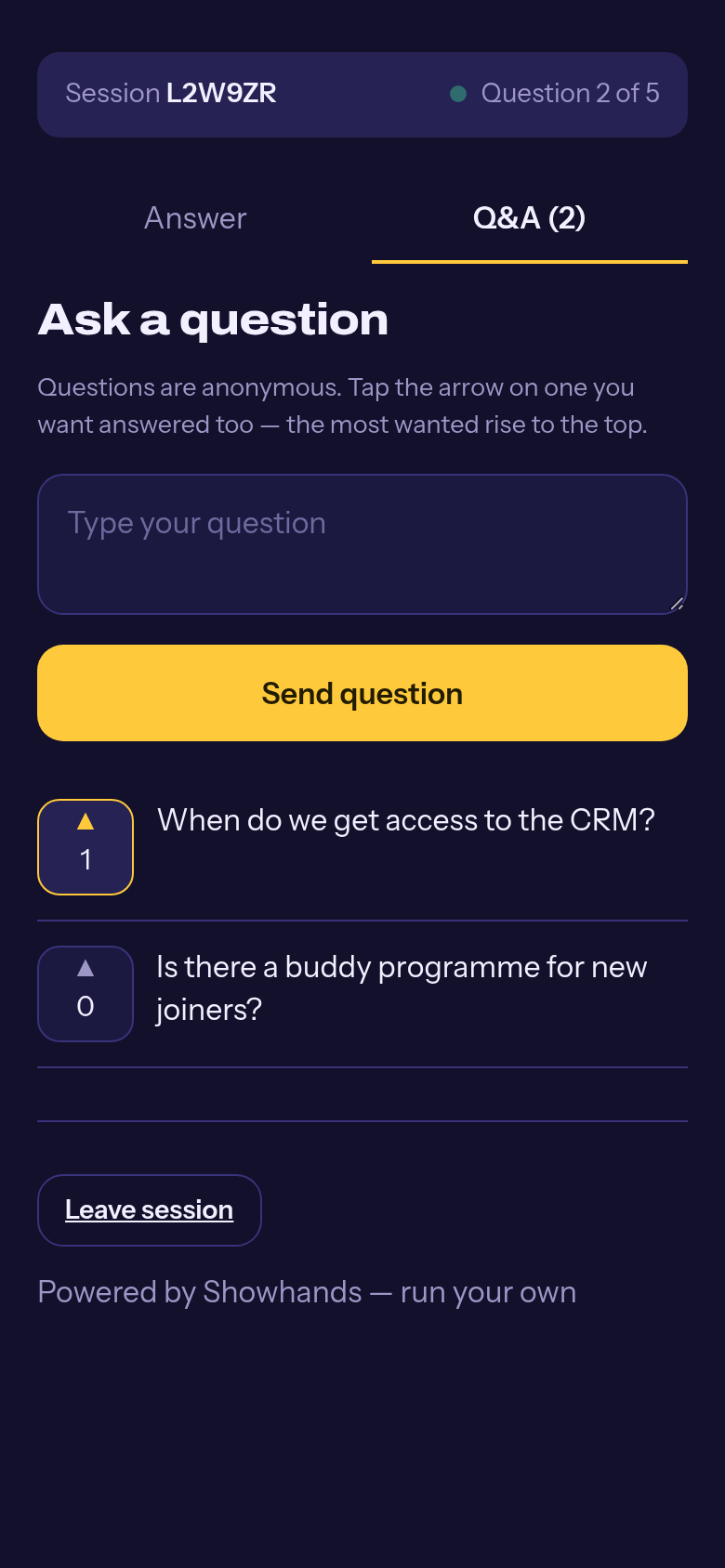
For the room
Ask
The Q&A tab sits next to the answer tab on every phone. Questions are anonymous.
Upvote
Tap the arrow on a question you want answered too. The most wanted rise to the top. Nobody can upvote their own question.
For you
Open the Q&A panel
The Q&A button on the present screen shows a badge when questions wait. Questions arrive sorted by votes.
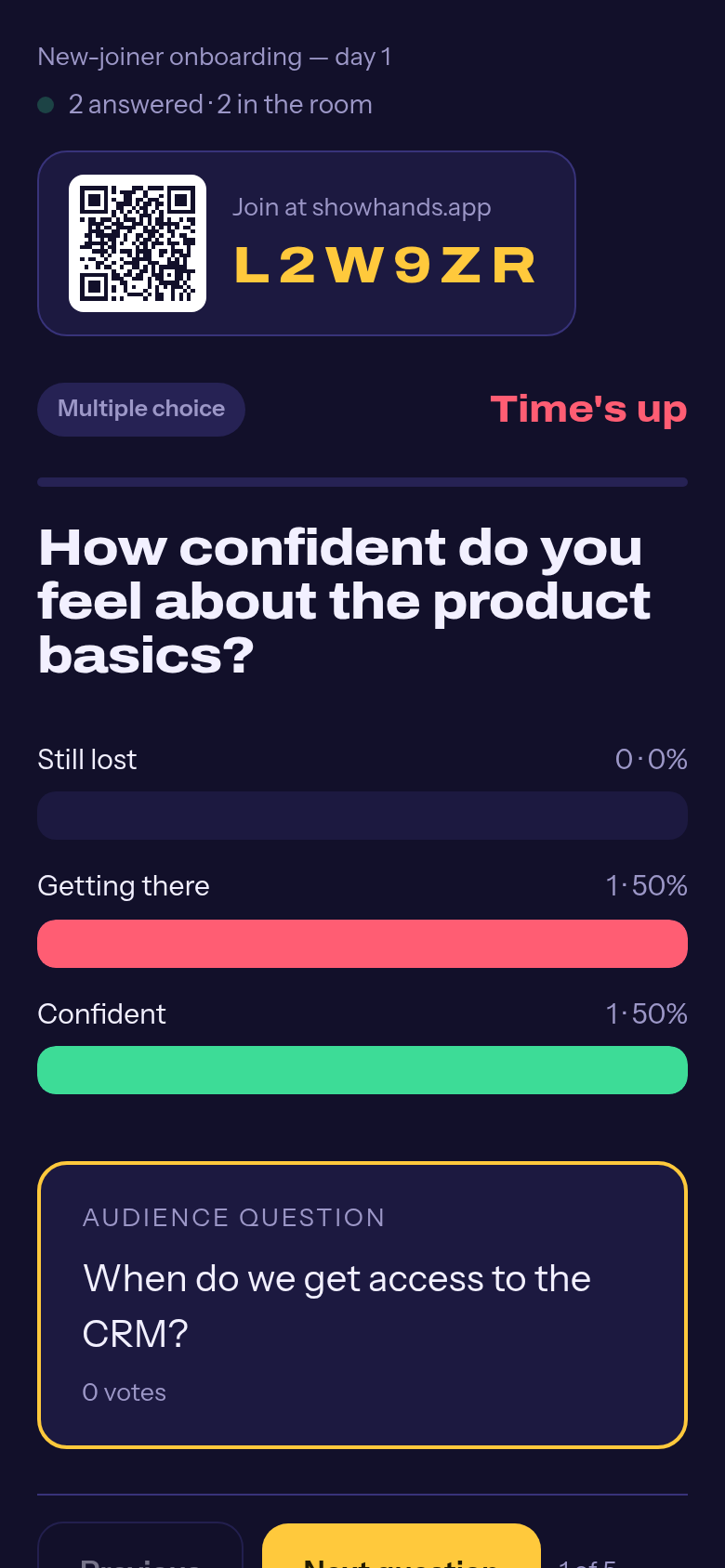
Put one on screen
Pin the question you are answering and it appears as a card on the big screen, so everyone hears the same question you are answering.
Mark answered, or remove
Answered questions stay visible to the room, tagged. Remove is for anything that does not belong.
Flagged questions wait for you
If a question trips your workspace’s blocked words, it is held for your approval and never shown to the room on its own.
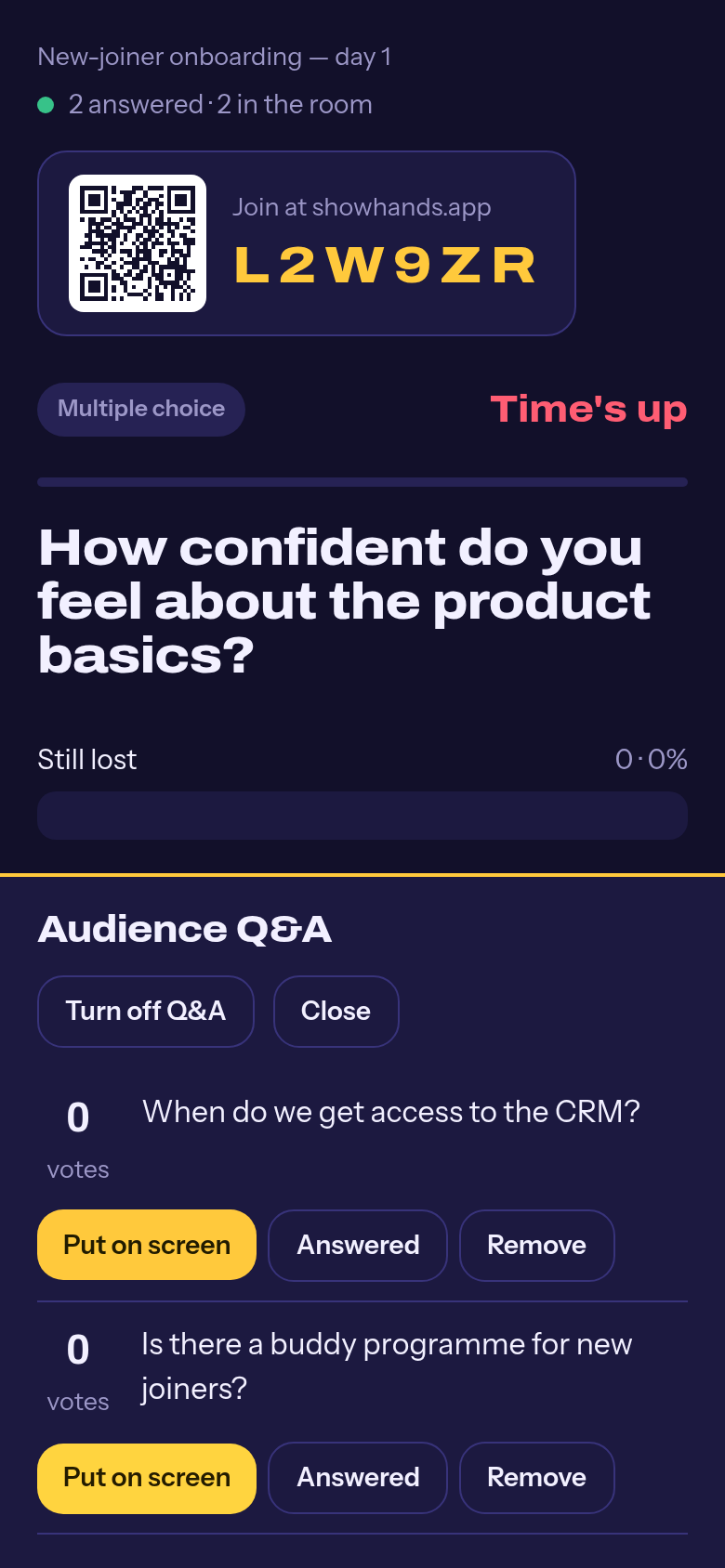
You can turn Q&A off per session from the same panel. It is on by default.